Documentation Index

Fetch the complete documentation index at: https://bun.com/docs/llms.txt

Use this file to discover all available pages before exploring further.

Bun implements V8’s heap snapshot API, which allows you to create snapshots of the heap at runtime. This helps debug memory leaks in your JavaScript/TypeScript application.
https://mintcdn.com/bun-1dd33a4e/JUhaF6Mf68z_zHyy/icons/typescript.svg?fit=max&auto=format&n=JUhaF6Mf68z_zHyy&q=85&s=7ac549adaea8d5487d8fbd58cc3ea35bsnapshot.ts
import v8 from "node:v8";

// Creates a heap snapshot file with an auto-generated name
const snapshotPath = v8.writeHeapSnapshot();
console.log(`Heap snapshot written to: ${snapshotPath}`);

Inspect memory in Chrome DevTools

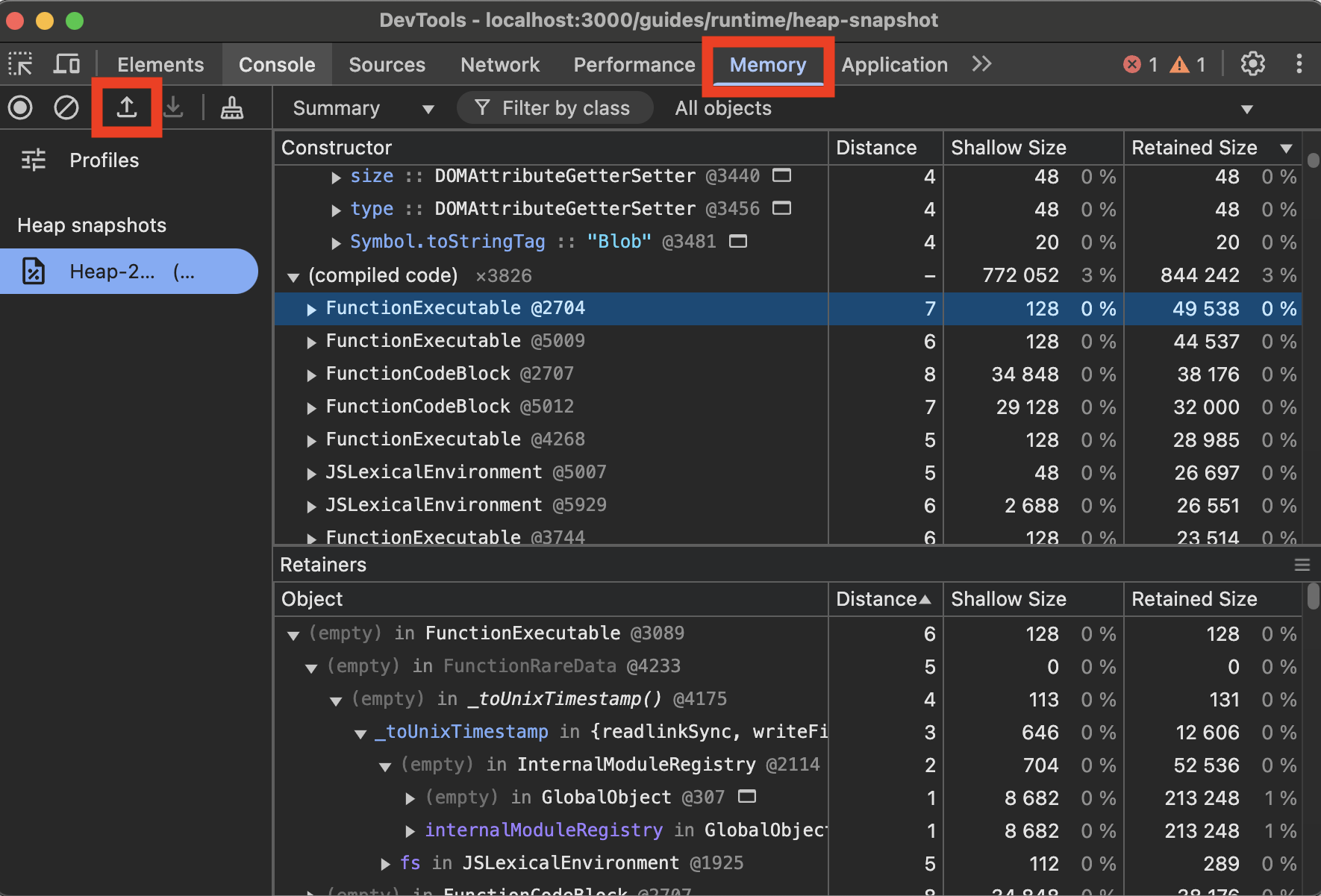
To view V8 heap snapshots in Chrome DevTools:
  1. Open Chrome DevTools (F12 or right-click and select “Inspect”)
  2. Go to the “Memory” tab
  3. Click the “Load” button (folder icon)
  4. Select your .heapsnapshot file
Chrome DevTools Memory Tab